
GB WhatsApp Tips & Tricks – Advanced Features and User Hacks
GBWhatsApp offers many features not available in the official WhatsApp app, from enhanced privacy to advanced customization. This guide provides actionable tips and tricks to help you get the most out of GB WhatsApp, improve productivity, and maintain privacy.
1. Customize Themes and Chat Appearance
GB WhatsApp allows you to fully personalize your chat experience:
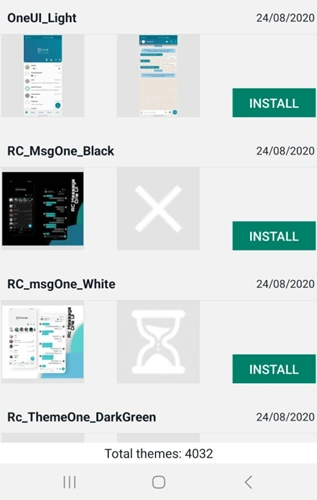
- Install themes: Choose from thousands of free themes or import custom ones.
- Custom wallpapers: Set different wallpapers for each chat to identify conversations easily.
- Fonts and colors: Change chat bubble colors and font styles to suit your preference.
🔹 Tip: Regularly update themes from trusted sources to avoid glitches.
Learn more on our GB WhatsApp Features vs Official WhatsApp page.
2. Hide Online Status and Privacy Settings
One of the biggest advantages of GB WhatsApp is advanced privacy control:
- Hide last seen and online status
- Hide blue ticks, second ticks, and typing indicators
- Control who can call or view your status
🔹 Pro Tip: Use these features selectively. Some users may notice when privacy settings are overused.
See our GB WhatsApp Security & Risk Guide for step-by-step privacy setup.
3. Send Larger Files and Media Efficiently
Unlike official WhatsApp, GB WhatsApp APK allows sending bigger files and multiple media files in one message:
- Videos up to 50MB
- Up to 90 images at once
- Documents in PDF, DOCX, PPT, and other formats
🔹 Tip: Organize files into folders for faster selection and avoid sending very large files on slow networks.
Check our GB WhatsApp Media & File Sharing Guide for more detailed tips.
4. Schedule Messages and Auto-Reply
GB WhatsApp provides productivity tools for personal or business use:
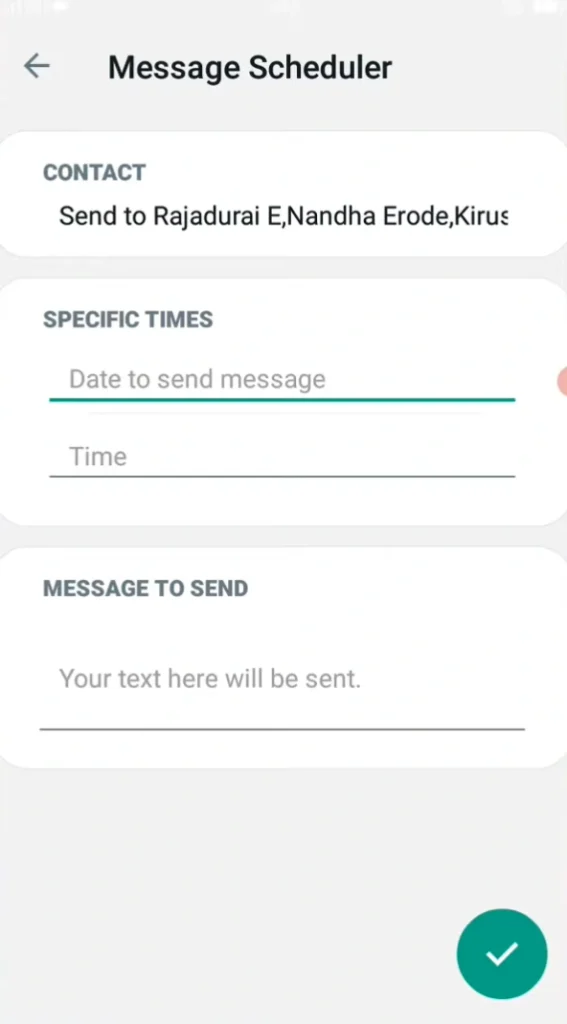
- Message scheduling: Set reminders to send messages automatically at a specific time.
- Auto-reply: Respond to messages when you are busy or away.
🔹 Pro Tip: Combine auto-reply with custom messages to maintain professional communication without opening chats manually.
5. Multiple Accounts and Chat Management
GB WhatsApp supports running two accounts on the same device:
- Keep personal and business accounts separate
- Customize notification tones per account
- Manage chats efficiently with archiving and pinning
Refer to our GB WhatsApp Installation Guide for multi-account setup.
6. Backup and Restore Tips
Even with GB WhatsApp, regular backups are essential:
- Backup chats to Google Drive or local storage regularly
- Before updating GB WhatsApp APK, ensure backup is complete
- Test restore occasionally to ensure backup integrity
For more, see GB WhatsApp FAQ.
7. Stay Updated with Latest Versions
Using the latest GB WhatsApp APK ensures you have:
- Bug fixes
- New features
- Reduced risk of account bans
🔹 Tip: Subscribe to official GB WhatsApp sources for notifications on updates.
Check our GB WhatsApp Version History for the latest releases.