
GB WhatsApp Security Guide – Risks, Privacy, and How to Protect Yourself
GB WhatsApp is a modified version of the official WhatsApp app, offering unique features and customization options. While it provides convenience and advanced functionality, it also carries potential security risks. This guide explains the key risks, privacy considerations, and actionable steps to protect your account and personal data.
Understanding the Risks of GB WhatsApp APK
Using GB WhatsApp comes with certain inherent risks because it is not officially endorsed by WhatsApp:
- Account Ban Risk
- WhatsApp may temporarily or permanently block accounts using third-party apps.
- Risk increases if users send spam or bulk messages.
- Mitigation: Always use the latest GB WhatsApp APK and avoid violating official WhatsApp policies.
- Malware and Fake APKs
- Unofficial or tampered APKs may contain malicious code.
- Only download GB WhatsApp APK from trusted sources.
- Verify file size and version against the official source.
- Privacy Concerns
- GB WhatsApp may have access to personal chats, contacts, and media.
- Unlike official WhatsApp, there is no guaranteed end-to-end encryption in some versions.
- Avoid sharing highly sensitive information in GB WhatsApp until verified.
Best Practices to Protect Your Account
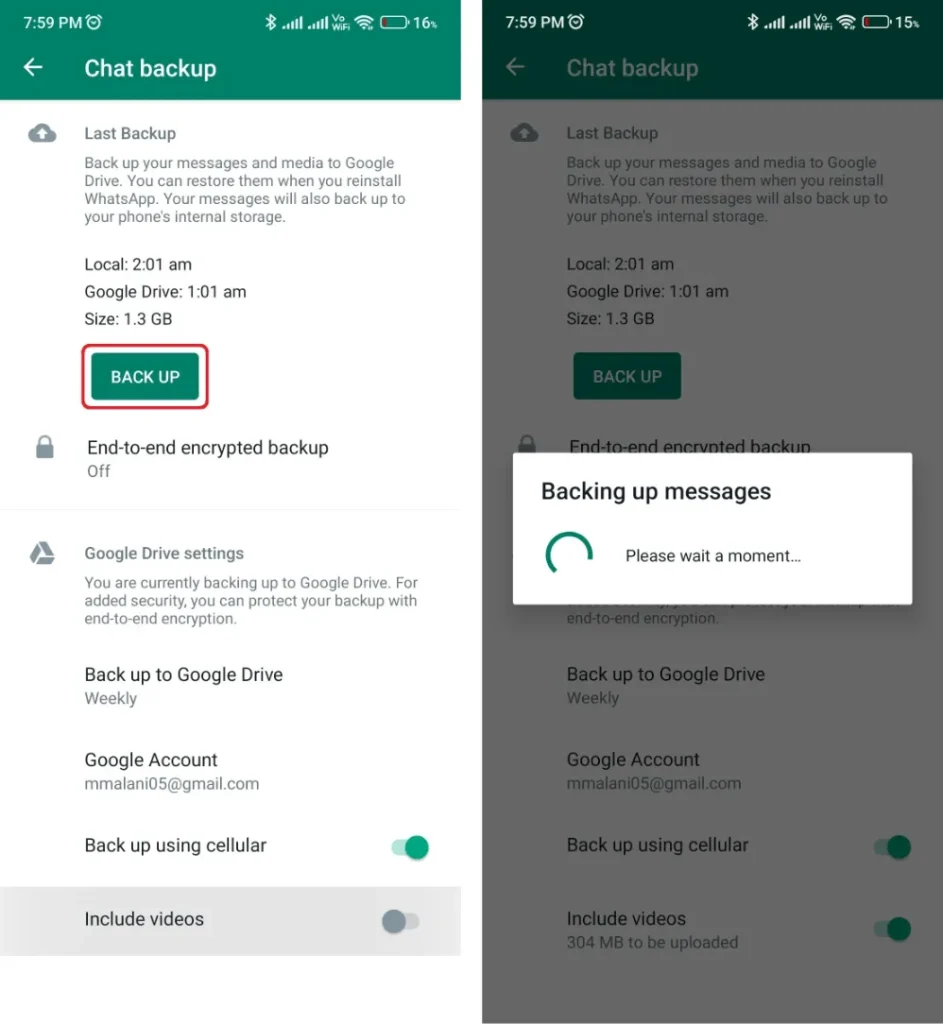
- Regular Backups
- Always back up your chats from official WhatsApp before switching.
- Use Google Drive or local storage for reliable backups.
- Use the Latest Version
- Developers often release updates to fix bugs, improve security, and reduce the chance of account bans.
- Enable Privacy Settings
- Hide online status, blue ticks, and typing indicators.
- Lock the app with a PIN, fingerprint, or pattern.
- Control who can view your profile or contact you.
For a full walkthrough of privacy settings, see our GB WhatsApp Installation Guide and GB WhatsApp FAQ.
Protecting Your Device
- Install Antivirus: Protect against malicious APKs or downloads.
- Avoid Unknown Sources: Only temporarily enable this setting during installation.
- Keep System Updated: Regular Android updates patch vulnerabilities.
🔹 Tip: Consider using a secondary device for GB WhatsApp to minimize potential exposure to personal data.
Recognizing Fake or Malicious GB WhatsApp APKs
Signs of a fake APK include:
- Unusually large or small file size compared to official version
- Websites offering “modded features” that seem too good to be true
- APK without proper version number or signature
Always compare with the official source and consult our GB WhatsApp Security & Risk Guide for verification tips.
Legal Considerations
GB WhatsApp operates in a grey area legally:
- It is a modified version of WhatsApp and not officially authorized.
- Users are responsible for compliance with local laws and WhatsApp’s terms of service.
- Avoid using GB WhatsApp for illegal activities or mass messaging campaigns.